
Camera apps have always had this annoying problem: you want to offer HDR recording at 60 FPS with stabilization, but you can't know which devices support that combination until you try it. And "trying it" often means crashing.
CameraX 1.5's Feature Group API fixes this. You can finally check if a feature combination works before attempting to use it.
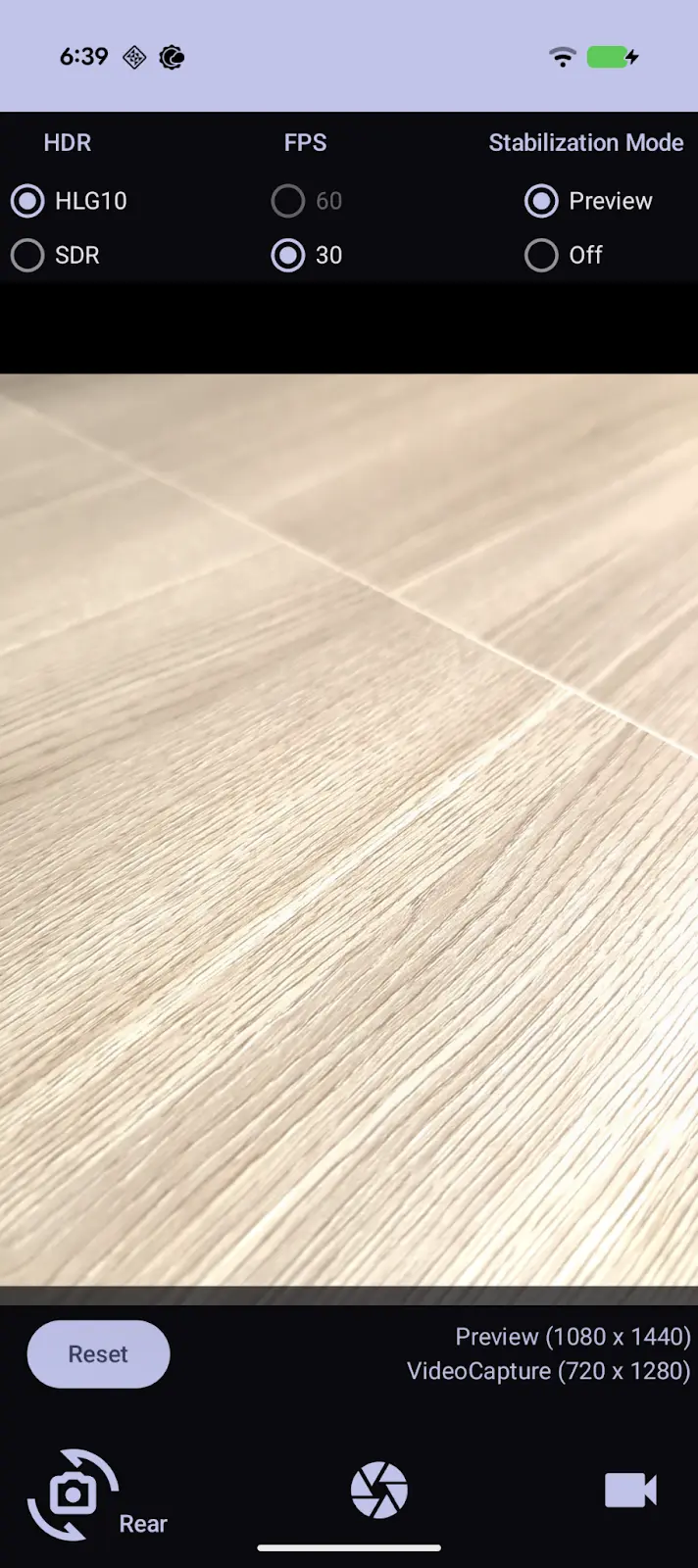
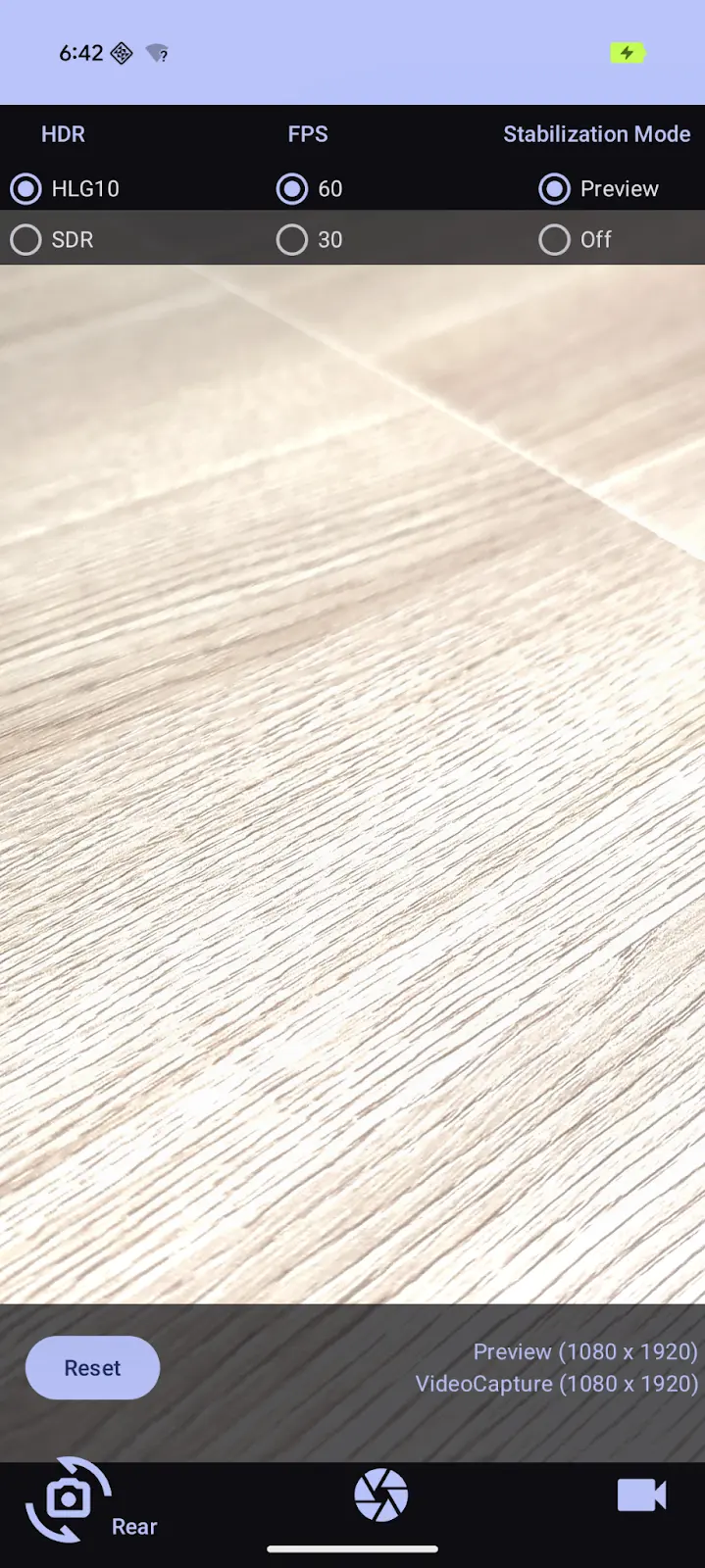
The Problem This Solves
Previously, you'd enable features individually without knowing if they'd work together:
// Old approach - hope this works on the user's device
videoCapture.apply {
    setHdr(true)
    setTargetFrameRate(Range(60, 60))
    setStabilization(true)
}
// Might work, might crash, might silently fail
Some devices support HDR. Some support 60 FPS. Some support both together, some don't. The only way to find out was trial and error - or maintaining a giant device compatibility list.
How Feature Groups Work
CameraX 1.5 introduces a way to query and request feature combinations:
Check if a combination is supported:
val features = setOf(
    GroupableFeature.HDR_HLG10,
    GroupableFeature.FPS_60,
    GroupableFeature.PREVIEW_STABILIZATION
)

if (cameraInfo.isFeatureGroupSupported(features)) {
    // Safe to enable all three
} else {
    // Need to fall back
}
Request features with automatic fallback:
cameraProvider.bindToLifecycle(
    lifecycleOwner,
    cameraSelector,
    preview,
    videoCapture,
    SessionConfig.defaultSessionConfig(
        preferredFeatureGroup = listOf(
            GroupableFeature.HDR_HLG10,
            GroupableFeature.FPS_60,
            GroupableFeature.PREVIEW_STABILIZATION
        )
    )
)
With preferredFeatureGroup, CameraX tries your full list first, then progressively drops features until it finds a supported combination. On a Pixel 10 Pro, you might get all three. On an older phone, you might get just HDR. Either way, you don't crash.
Available Features
Right now, the API covers:
HDR_HLG10- HDR video in HLG10 formatFPS_60- 60 FPS recordingPREVIEW_STABILIZATION- Real-time stabilizationIMAGE_ULTRA_HDR- Ultra HDR image capture
More features will likely be added in future releases.
Building a Reactive UI
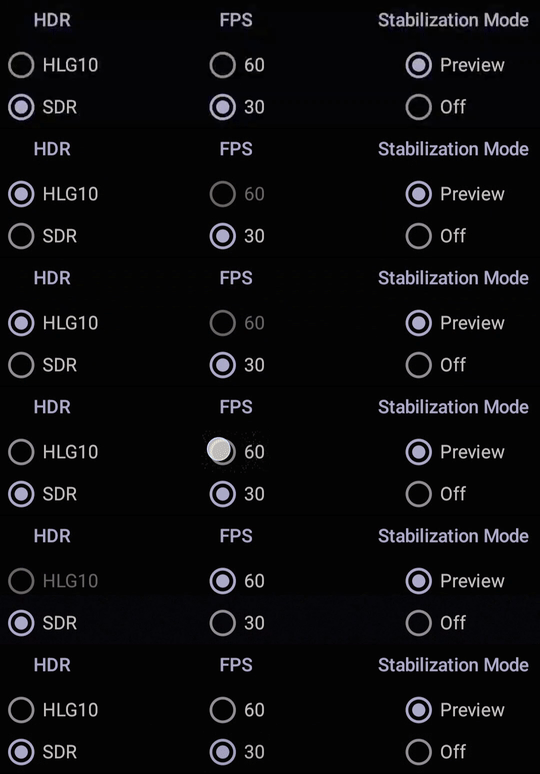
The real power is in building UIs that adapt to device capabilities. Here's a practical example:
fun updateFeatureToggles(cameraInfo: CameraInfo) {
    // Check each feature individually
    hdrToggle.isEnabled = cameraInfo.isFeatureGroupSupported(
        setOf(GroupableFeature.HDR_HLG10)
    )

    fps60Toggle.isEnabled = cameraInfo.isFeatureGroupSupported(
        setOf(GroupableFeature.FPS_60)
    )

    stabilizationToggle.isEnabled = cameraInfo.isFeatureGroupSupported(
        setOf(GroupableFeature.PREVIEW_STABILIZATION)
    )
}

fun onFeatureToggled() {
    val requested = mutableSetOf<GroupableFeature>()

    if (hdrToggle.isChecked) requested.add(GroupableFeature.HDR_HLG10)
    if (fps60Toggle.isChecked) requested.add(GroupableFeature.FPS_60)
    if (stabilizationToggle.isChecked) requested.add(GroupableFeature.PREVIEW_STABILIZATION)

    // Check if this exact combination works
    if (cameraInfo.isFeatureGroupSupported(requested)) {
        recordButton.isEnabled = true
        warningText.visibility = View.GONE
    } else {
        recordButton.isEnabled = false
        warningText.text = "This combination isn't supported on your device"
        warningText.visibility = View.VISIBLE
    }
}
Users see which features their device supports, and the UI prevents them from selecting incompatible combinations. Much better than letting them tap record and watching the app crash.
Required vs Preferred Features
Two approaches for requesting features:
requiredFeatureGroup - All features must be supported. If not, throws an exception. Use when you absolutely need specific capabilities and want to handle the failure explicitly.
preferredFeatureGroup - CameraX picks the best supported subset. Use when you want the best available quality with automatic fallback.
For most apps, preferredFeatureGroup is the better choice. You get premium features on capable devices without writing fallback logic.
Getting Started
Feature Groups are in CameraX 1.5 (experimental) and will be stable in 1.6. To use it:
dependencies {
    implementation("androidx.camera:camera-camera2:1.5.0-alpha01")
    implementation("androidx.camera:camera-lifecycle:1.5.0-alpha01")
    implementation("androidx.camera:camera-video:1.5.0-alpha01")
}
The API is marked experimental but unlikely to change significantly. It's production-ready for apps that can tolerate potential minor API adjustments.
Why This Matters
Before Feature Groups, building a camera app that worked well across devices required either:
- Testing on dozens of devices manually
- Maintaining compatibility lists
- Letting users discover crashes themselves
- Disabling advanced features entirely
Now you can query capabilities programmatically and build adaptive UIs. Users on flagship phones get flagship features. Users on budget phones get what their hardware supports. Nobody gets crashes.
If you're building camera functionality, this API is worth the upgrade to CameraX 1.5.