I spent three hours staring at a bug that made zero sense.
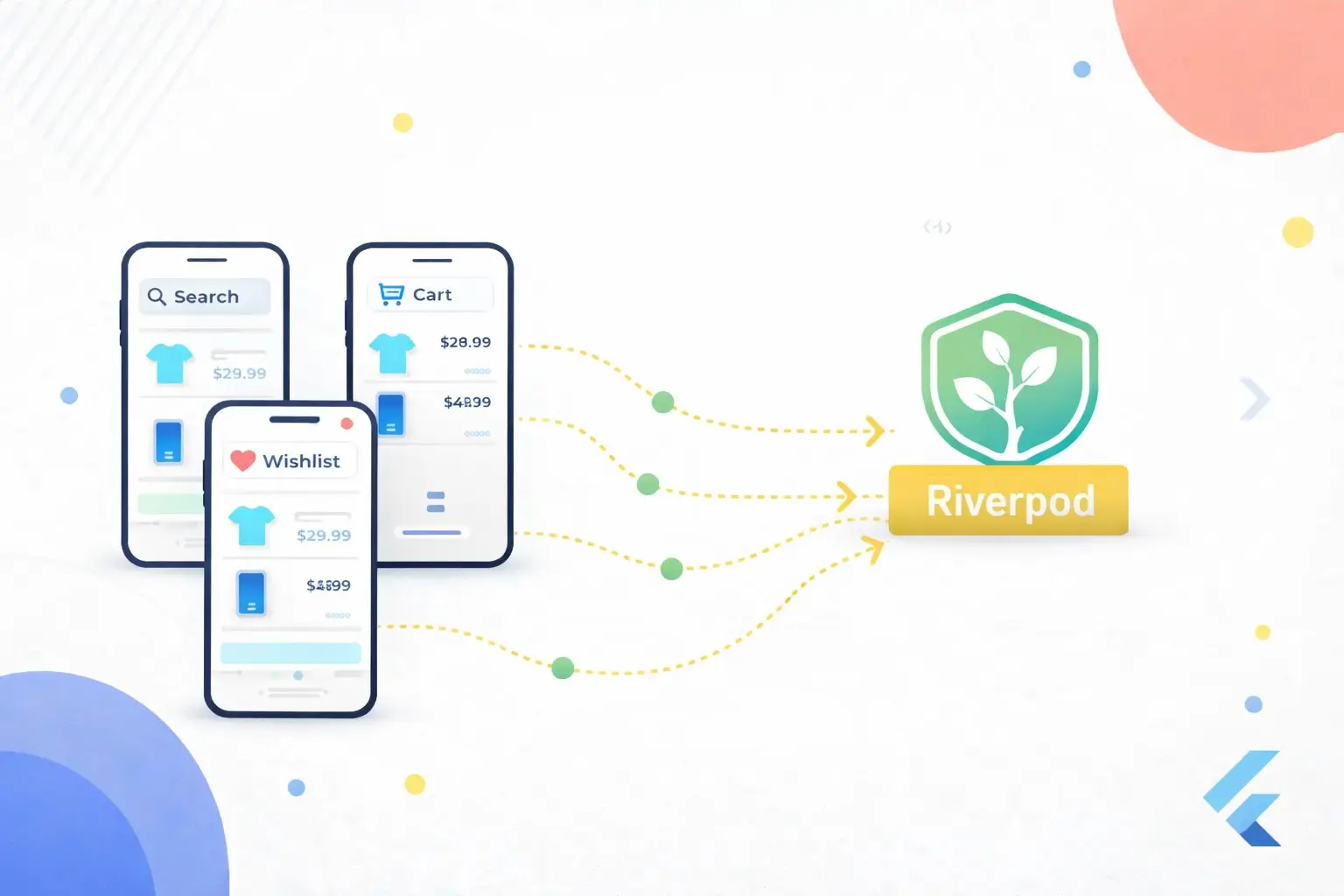
User opens the app. Searches for a product. Taps "Add to Cart." Cart badge updates — item count goes to 1. Perfect.
User taps back. Goes to the Search screen. The same product still shows "Add to Cart" instead of the quantity selector.
The cart had the item. The search screen didn't know about it.
I checked the cart provider — correct state. Checked the search provider — stale state. The two providers were living in different realities, and neither cared about the other.
If you've built anything with Riverpod that has more than one screen touching the same data, you've probably hit this. Cart state is the classic case, but it shows up everywhere: wishlist toggles, read/unread status, follow buttons.
Here's what the bug looks like:
User adds item to cart from Search Screen
     ↓
Cart updates ✅
     ↓
User goes back to Search Screen
     ↓
"Add to Cart" button still shows old state ❌
Why This Happens
Each Riverpod provider manages its own slice of state. That's the whole point — separation of concerns. But when two providers care about overlapping data, neither one automatically knows when the other changes.
Your search results have a cartQuantity field on each product. Your cart has the actual items. When the cart updates, nothing tells the search provider to refresh its products with the new quantities.
The obvious fix — have the search screen re-fetch from the API after every cart change — works but it's wasteful. You're making network calls for data you already have locally.
The Wrong Way (What I Tried First)
My first instinct was to make every screen independently fetch the cart:
// ❌ BAD: Each screen fetches cart independently
class SearchNotifier extends StateNotifier<SearchState> {
  Future<void> search(String query) async {
    final products = await api.search(query);
    final cart = await api.getCart(); // Extra API call every time!

    // Merge cart quantities into search results
    final merged = products.map((p) {
      final cartItem = cart.firstWhere(
        (c) => c.productId == p.id,
        orElse: () => null,
      );
      return p.copyWith(cartQuantity: cartItem?.quantity ?? 0);
    }).toList();

    state = SearchState(products: merged);
  }
}
This "works" but it's terrible:
- Extra API call on every search
- Cart data might be stale by the time the response arrives
- Every screen that shows products has to duplicate this merge logic
- If the user is offline, the cart fetch fails and you get zero quantities
I shipped this. Users on slow connections noticed. Search felt sluggish because every query was secretly making two API calls instead of one.
The Pattern That Actually Works
The fix is embarrassingly simple once you see it: the cart pushes updates to everyone who cares.
Instead of each screen pulling cart data, the cart notifier pushes its state to dependent providers after every change.
Here's the setup.
1. Cart State (Source of Truth)
// cart_state.dart

class CartItem {
  final String productId;
  final int quantity;

  const CartItem({required this.productId, required this.quantity});
}

class CartState {
  final List<CartItem> items;

  const CartState({this.items = const []});

  int getQuantity(String productId) {
    final item = items.where((i) => i.productId == productId).firstOrNull;
    return item?.quantity ?? 0;
  }
}
Nothing fancy. The getQuantity helper is key though — every dependent provider will use it to check "how many of product X are in the cart?"
2. Cart Notifier (The Central Hub)
This is the simplified version to show the sync pattern. The full version with API calls and optimistic updates is in the "Initial Cart Load from API" section below.
// cart_notifier.dart (simplified — see full version below)

class CartNotifier extends StateNotifier<CartState> {
  final Ref _ref;

  CartNotifier(this._ref) : super(const CartState());

  void updateCart(List<CartItem> items) {
    state = CartState(items: items);
    _syncAllProviders();
  }

  void addToCart(String productId) {
    final existing = state.items.where((i) => i.productId == productId).firstOrNull;

    List<CartItem> updated;
    if (existing != null) {
      updated = state.items.map((item) {
        if (item.productId == productId) {
          return CartItem(productId: productId, quantity: item.quantity + 1);
        }
        return item;
      }).toList();
    } else {
      updated = [...state.items, CartItem(productId: productId, quantity: 1)];
    }

    state = CartState(items: updated);
    _syncAllProviders();
  }

  void removeFromCart(String productId) {
    final updated = state.items.where((i) => i.productId != productId).toList();
    state = CartState(items: updated);
    _syncAllProviders();
  }

  void _syncAllProviders() {
    // Sync with Search
    try {
      _ref.read(searchNotifierProvider.notifier).syncCartState(state);
    } catch (_) {}

    // Sync with Category Products
    try {
      _ref.read(categoryProductsNotifierProvider.notifier).syncCartState(state);
    } catch (_) {}

    // Sync with Wishlist
    try {
      _ref.read(wishlistNotifierProvider.notifier).syncCartState(state);
    } catch (_) {}
  }
}

final cartNotifierProvider =
    StateNotifierProvider<CartNotifier, CartState>((ref) {
  return CartNotifier(ref);
});
"Why the try-catch around each sync call?"
Because not every provider is alive at the same time. If the user hasn't opened the Wishlist screen yet, wishlistNotifierProvider hasn't been created. Reading its notifier throws. The try-catch says "sync if you exist, skip if you don't."
I tried being clever about this — checking if providers were initialized, maintaining a registry of active providers. All of it was more complex than three try-catch blocks. Sometimes boring code is correct code.
"Won't this cause unnecessary rebuilds?"
Only if the data actually changed. If the user adds a product to cart that isn't in the current search results, syncCartState runs but no product's cartQuantity changes, so the UI doesn't rebuild. Riverpod is smart about this.
3. Product Model (Carries Cart Data)
// product.dart

class Product {
  final String id;
  final String name;
  final double price;
  final int cartQuantity;

  const Product({
    required this.id,
    required this.name,
    required this.price,
    this.cartQuantity = 0,
  });

  Product copyWith({int? cartQuantity}) {
    return Product(
      id: id,
      name: name,
      price: price,
      cartQuantity: cartQuantity ?? this.cartQuantity,
    );
  }
}
The cartQuantity field lives on the product itself. The UI doesn't need to cross-reference two different state objects — it just reads product.cartQuantity and renders accordingly.
4. Search Notifier (Receives Sync)
// search_notifier.dart

class SearchState {
  final List<Product> products;
  final bool isLoading;

  const SearchState({this.products = const [], this.isLoading = false});
}

class SearchNotifier extends StateNotifier<SearchState> {
  SearchNotifier() : super(const SearchState());

  Future<void> search(String query) async {
    state = SearchState(products: state.products, isLoading: true);

    final products = await _searchApi.search(query);
    state = SearchState(products: products, isLoading: false);
  }

  void syncCartState(CartState cartState) {
    if (state.products.isEmpty) return;

    final updatedProducts = state.products.map((product) {
      final quantity = cartState.getQuantity(product.id);
      return product.copyWith(cartQuantity: quantity);
    }).toList();

    state = SearchState(
      products: updatedProducts,
      isLoading: state.isLoading,
    );
  }
}

final searchNotifierProvider =
    StateNotifierProvider<SearchNotifier, SearchState>((ref) {
  return SearchNotifier();
});
syncCartState is the only method the cart calls. It loops through existing products, updates each one's cart quantity, and sets the new state. That's it. No API calls. No complex merging logic.
The same pattern works for any screen that shows products:
// category_products_notifier.dart — same sync method

class CategoryProductsNotifier extends StateNotifier<CategoryProductsState> {
  // ...

  void syncCartState(CartState cartState) {
    if (state.products.isEmpty) return;

    final updatedProducts = state.products.map((product) {
      final quantity = cartState.getQuantity(product.id);
      return product.copyWith(cartQuantity: quantity);
    }).toList();

    state = CategoryProductsState(products: updatedProducts);
  }
}
Copy-paste the sync method into every notifier that shows products. Yes, it's duplicated. No, I don't abstract it. Three identical 8-line methods are clearer than one mixin that six notifiers inherit from. I tried the mixin approach. Debugging was miserable.
The Complete Flow
┌─────────────────────────────────────────────────────────┐
│                    CartNotifier                         │
│                   (Source of Truth)                     │
└─────────────────────┬───────────────────────────────────┘
                      │ addToCart() / removeFromCart()
                      │
                      ▼
              _syncAllProviders()
                      │
        ┌─────────────┼─────────────┐
        ▼             ▼             ▼
   ┌─────────┐  ┌──────────┐  ┌──────────┐
   │ Search  │  │ Category │  │ Wishlist  │
   │Notifier │  │ Notifier │  │ Notifier  │
   └─────────┘  └──────────┘  └──────────┘
        │             │             │
        ▼             ▼             ▼
   syncCartState() — updates each product.cartQuantity
Every cart change flows in one direction: Cart → all screens. No screen ever updates the cart directly by mutating its own state. They always go through cartNotifierProvider.
Initial Cart Load from API
There's a step the flow diagram doesn't show: where does the cart data come from in the first place?
When the app launches (or the user logs in), you need to fetch the cart from your API and hydrate the cart provider. If you skip this, every product shows cartQuantity: 0 until the user manually adds something — even if they had 5 items in their cart from yesterday.
Here's how I handle it:
// cart_repository.dart

class CartRepository {
  final Dio _dio;

  CartRepository(this._dio);

  Future<List<CartItem>> fetchCart() async {
    final response = await _dio.get('/cart');

    if (response.statusCode == 200) {
      final List<dynamic> items = response.data['items'] ?? [];
      return items.map((item) => CartItem(
        productId: item['product_id'],
        quantity: item['quantity'],
      )).toList();
    }

    return [];
  }

  Future<bool> addToCart(String productId, int quantity) async {
    final response = await _dio.post('/cart/add', data: {
      'product_id': productId,
      'quantity': quantity,
    });
    return response.statusCode == 200;
  }

  Future<bool> removeFromCart(String productId) async {
    final response = await _dio.delete('/cart/remove/$productId');
    return response.statusCode == 200;
  }
}

final cartRepositoryProvider = Provider<CartRepository>((ref) {
  return CartRepository(ref.read(dioProvider));
});
Now update the CartNotifier to load from the API on initialization and sync the API on every change:
// cart_notifier.dart (updated)

class CartNotifier extends StateNotifier<CartState> {
  final Ref _ref;
  final CartRepository _repository;

  CartNotifier(this._ref, this._repository) : super(const CartState());

  /// Call this once at app startup or after login
  Future<void> loadCart() async {
    try {
      final items = await _repository.fetchCart();
      state = CartState(items: items);
      _syncAllProviders();
    } catch (e) {
      // First launch or offline — start with empty cart
      // Cart will load on next successful fetch
    }
  }

  Future<void> addToCart(String productId) async {
    // Optimistic update — change UI immediately
    final existing = state.items.where((i) => i.productId == productId).firstOrNull;

    List<CartItem> updated;
    if (existing != null) {
      updated = state.items.map((item) {
        if (item.productId == productId) {
          return CartItem(productId: productId, quantity: item.quantity + 1);
        }
        return item;
      }).toList();
    } else {
      updated = [...state.items, CartItem(productId: productId, quantity: 1)];
    }

    final newQuantity = updated
        .firstWhere((i) => i.productId == productId)
        .quantity;

    state = CartState(items: updated);
    _syncAllProviders();

    // Then hit the API
    final success = await _repository.addToCart(productId, newQuantity);

    if (!success) {
      // API failed — roll back to previous state
      await loadCart(); // Re-fetch actual cart from server
    }
  }

  Future<void> removeFromCart(String productId) async {
    // Optimistic update
    final previousItems = state.items;
    final updated = state.items.where((i) => i.productId != productId).toList();
    state = CartState(items: updated);
    _syncAllProviders();

    // Then hit the API
    final success = await _repository.removeFromCart(productId);

    if (!success) {
      // Roll back
      state = CartState(items: previousItems);
      _syncAllProviders();
    }
  }

  void _syncAllProviders() {
    try {
      _ref.read(searchNotifierProvider.notifier).syncCartState(state);
    } catch (_) {}

    try {
      _ref.read(categoryProductsNotifierProvider.notifier).syncCartState(state);
    } catch (_) {}

    try {
      _ref.read(wishlistNotifierProvider.notifier).syncCartState(state);
    } catch (_) {}
  }
}

final cartNotifierProvider =
    StateNotifierProvider<CartNotifier, CartState>((ref) {
  return CartNotifier(ref, ref.read(cartRepositoryProvider));
});
"What's optimistic update?"
You update the UI before the API confirms it. User taps "Add to Cart" and sees the quantity change instantly — no loading spinner. If the API call fails, you roll back.
Without optimistic updates:
User taps "Add to Cart"
     ↓
Loading spinner (200-800ms)
     ↓
API responds
     ↓
UI updates
With optimistic updates:
User taps "Add to Cart"
     ↓
UI updates instantly ← user sees this immediately
     ↓
API call happens in background
     ↓
If fails → roll back (rare)
The difference is 200-800ms of perceived latency. On slow connections it's even more noticeable. Every e-commerce app I've used does this — tap the heart icon on any shopping app and it toggles immediately. That's optimistic update.
"When do you call loadCart()?"
Right after login or at app startup. I do it in the splash screen or the main app widget:
// app.dart

class MyApp extends ConsumerWidget {
  @override
  Widget build(BuildContext context, WidgetRef ref) {
    return MaterialApp(
      home: FutureBuilder(
        future: _initializeApp(ref),
        builder: (context, snapshot) {
          if (snapshot.connectionState == ConnectionState.done) {
            return const HomeScreen();
          }
          return const SplashScreen();
        },
      ),
    );
  }

  Future<void> _initializeApp(WidgetRef ref) async {
    // Load cart from API — products on all screens
    // will have correct cartQuantity from the start
    await ref.read(cartNotifierProvider.notifier).loadCart();
  }
}
If you load cart too late — say, only when the user opens the Cart screen — every product card on Home, Search, and Category screens shows "Add to Cart" instead of the actual quantity. The user thinks their cart is empty. I made this mistake in the first release and got three support emails the same day.
What This Looks Like in the UI
// product_card.dart

class ProductCard extends ConsumerWidget {
  final Product product;

  const ProductCard({required this.product});

  @override
  Widget build(BuildContext context, WidgetRef ref) {
    return Card(
      child: Column(
        children: [
          Text(product.name),
          Text('\$${product.price}'),

          // This is the part that was broken before
          if (product.cartQuantity == 0)
            ElevatedButton(
              onPressed: () {
                ref.read(cartNotifierProvider.notifier).addToCart(product.id);
              },
              child: const Text('Add to Cart'),
            )
          else
            Row(
              children: [
                IconButton(
                  onPressed: () {
                    ref.read(cartNotifierProvider.notifier)
                        .removeFromCart(product.id);
                  },
                  icon: const Icon(Icons.remove),
                ),
                Text('${product.cartQuantity}'),
                IconButton(
                  onPressed: () {
                    ref.read(cartNotifierProvider.notifier)
                        .addToCart(product.id);
                  },
                  icon: const Icon(Icons.add),
                ),
              ],
            ),
        ],
      ),
    );
  }
}
The ProductCard doesn't know or care which screen it's on. It reads product.cartQuantity and renders the right widget. The cart notifier handles the rest.
The Gotcha That Bit Me
When the user removes the last item from cart, quantity becomes 0. But I had a bug where removed items kept showing quantity 1.
The problem was in my initial removeFromCart:
// ❌ Bug: forgot to sync after removing
void removeFromCart(String productId) {
  final updated = state.items.where((i) => i.productId != productId).toList();
  state = CartState(items: updated);
  // Missing: _syncAllProviders();
}
The cart state updated, but no sync happened. The search screen still had cartQuantity: 1 on that product. Adding _syncAllProviders() fixed it — the sync pushes quantity: 0 which flips the UI back to "Add to Cart."
Every method that changes cart state must call _syncAllProviders(). Every single one. I added a comment at the top of the class so the next person doesn't repeat my mistake:
class CartNotifier extends StateNotifier<CartState> {
  // IMPORTANT: Every method that modifies state must call _syncAllProviders()
  // at the end. If you forget, other screens will show stale cart data.
When NOT to Use This Pattern
This push-based sync works great when:
- You have a clear source of truth (cart, auth state, user preferences)
- Updates are infrequent (cart changes, not real-time stock prices)
- The number of dependent providers is small (3-5, not 50)
It breaks down when:
- Too many dependents — If 20 providers need sync, your
_syncAllProvidersmethod becomes a maintenance headache. Consider using Riverpod's built-inref.watchinstead. - Circular dependencies — If Provider A syncs to Provider B, and B syncs back to A, you get infinite loops. Ask me how I know.
- High-frequency updates — For real-time data (WebSocket streams, location tracking), use
StreamProviderorref.watchon a shared provider. Push-based sync will hammer your UI with rebuilds.
For cart-like scenarios — user-initiated, infrequent, 3-5 screens affected — this pattern is the simplest thing that works.
Quick Comparison
| Approach | Pros | Cons |
|---|---|---|
| Each screen fetches cart from API | Always fresh | Extra API calls, slow, wasteful |
ref.watch shared provider |
Built-in Riverpod | Requires restructuring how products hold cart data |
| Push-based sync (this post) | Simple, fast, no API calls | Manual sync calls, try-catch boilerplate |
| Event bus / stream | Decoupled | Over-engineered for most cases, harder to debug |
I've used all four. For e-commerce apps with cart + search + category + wishlist screens, push-based sync hits the sweet spot between simplicity and correctness.
Adding a New Screen? Here's the Checklist
When you add a new screen that shows products with cart quantities:
- Add a
syncCartState(CartState cartState)method to the new notifier - Add a try-catch block in
CartNotifier._syncAllProviders()for the new provider - That's it. Two changes.
// In CartNotifier._syncAllProviders():
try {
  _ref.read(newScreenNotifierProvider.notifier).syncCartState(state);
} catch (_) {}
No event bus registration. No stream subscriptions to clean up. No abstract classes to implement.
What I Got Wrong Before Landing on This
First attempt: global event bus. Every cart change emitted an event, every screen subscribed. Worked until I forgot to unsubscribe in one screen and got ghost updates after the screen was disposed. Plus debugging "which subscriber caused this rebuild?" was painful.
Second attempt: single massive provider holding all products across all screens. Cart changes updated this mega-provider, and every screen read from it. The provider became a god object. Testing was a nightmare — you couldn't test search without initializing the entire product catalog.
Third attempt: this pattern. Dumb, simple, explicit. Each provider owns its own data. Cart pushes updates. Three try-catch blocks. It's been in production for seven months. Zero state sync bugs since.
Sometimes the best architecture is the most boring one.
For more Flutter patterns, check out the Production-Ready Networking with DIO series.