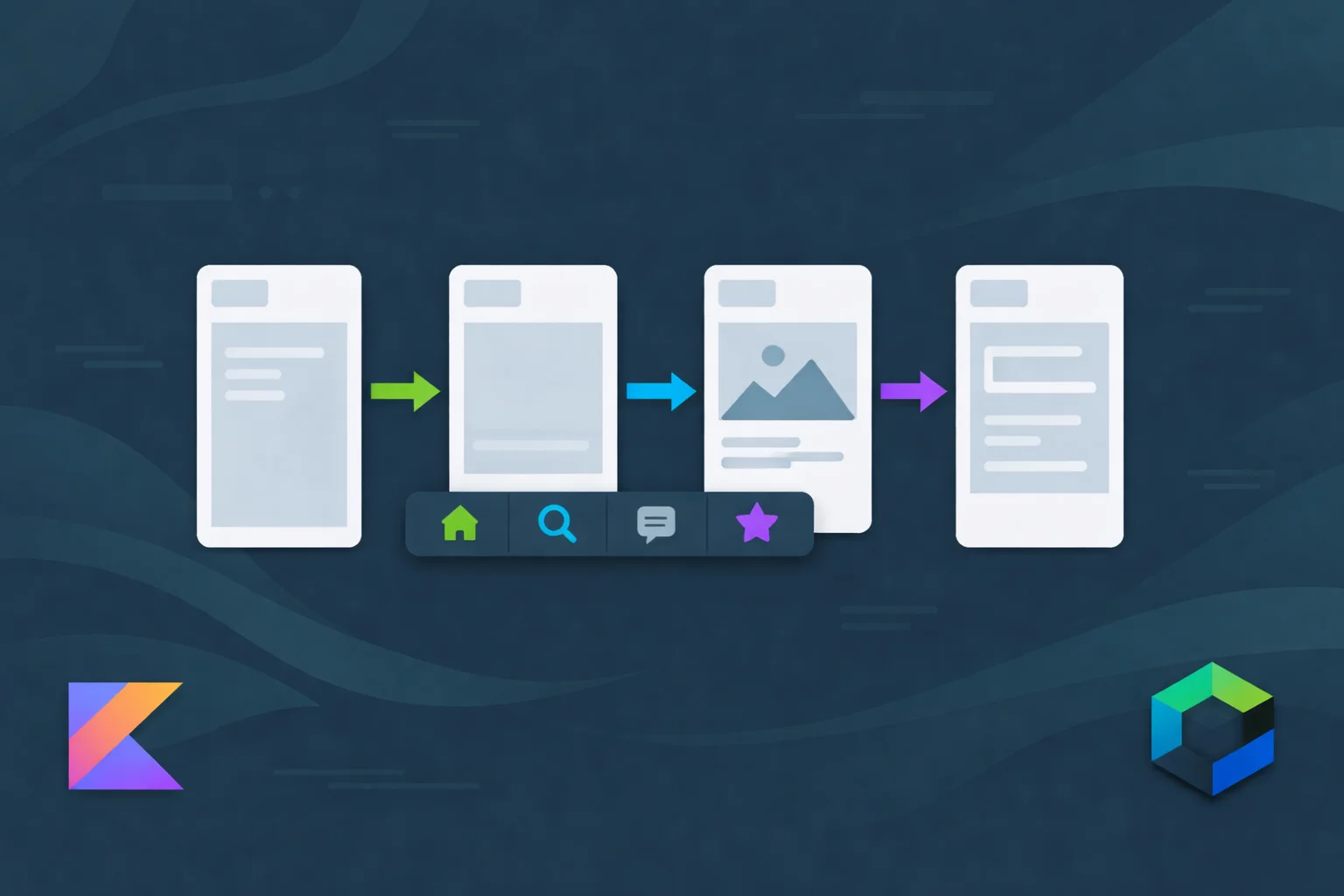
I have a production app with four bottom tabs, nine navigation graphs, and 40+ screens. Deep links from push notifications. OAuth callbacks from third-party services. Shared ViewModels across multi-screen flows.
Navigation 2 handled all of this. Messily, with string routes and withArgs hacks, but it worked.
Then I tried migrating to Navigation 3.
The first screen took 20 minutes. The bottom navigation took three days. Deep links? I almost gave up.
Nav3 is genuinely better -- type-safe routes, a visible back stack you actually control, no more NavController black box. But the migration path has gaps that the docs don't warn you about. Shared ViewModels work differently. Deep links are now your problem. Returning results between screens has no built-in solution.
This is everything I learned migrating a production app. The good parts, the painful parts, and the workarounds I wish someone had written down before I started.
What Nav3 Actually Changes
If you've been using Navigation 2, here's the mental shift:
Back stack ownership:
Nav2 — NavController manages everything behind a black box.
Nav3 — You own a SnapshotStateList back stack. Fully visible, fully yours.
Route definitions:
Nav2 — String routes: "project_detail/{projectId}/{projectName}"
Nav3 — Data classes: ProjectDetail(projectId = 42L, projectName = "Alpha")
Screen registration:
Nav2 — NavHost + composable() DSL
Nav3 — NavDisplay + entryProvider
Argument types:
Nav2 — navArgument(type = NavType.LongType)
Nav3 — Just... a Long property on a data class
Reading arguments:
Nav2 — backStackEntry.arguments?.getLong("projectId")
Nav3 — key.projectId
Navigation calls:
Nav2 — navController.navigate(route) / navController.popBackStack()
Nav3 — backStack.add(route) / backStack.removeLastOrNull()
The argument passing alone made the migration worth it. Take a screen that needs a project ID and name. The Nav2 route looked like this:
// Nav2: string route with arguments
"project_detail/{projectId}/{projectName}"
Two navArgument declarations. Two backStackEntry.arguments?.getXxx() calls. One wrong type and you get a runtime crash with an unhelpful error message. Now imagine a screen with six arguments -- it gets worse fast.
Nav3 equivalent:
// Nav3: just a data class
@Serializable
data class ProjectDetail(
    val projectId: Long,
    val projectName: String
) : NavKey
Compile-time safe. IDE autocomplete. No parsing. Need more arguments? Just add properties to the data class.
Setting Up Nav3
Dependencies
# gradle/libs.versions.toml

[versions]
nav3 = "1.0.1"
lifecycleNav3 = "2.10.0-rc01"

[libraries]
androidx-navigation3-runtime = { module = "androidx.navigation3:navigation3-runtime", version.ref = "nav3" }
androidx-navigation3-ui = { module = "androidx.navigation3:navigation3-ui", version.ref = "nav3" }
androidx-lifecycle-viewmodel-nav3 = { module = "androidx.lifecycle:lifecycle-viewmodel-navigation3", version.ref = "lifecycleNav3" }
// app/build.gradle.kts
dependencies {
    implementation(libs.androidx.navigation3.runtime)
    implementation(libs.androidx.navigation3.ui)
    implementation(libs.androidx.lifecycle.viewmodel.nav3)
}
You also need compileSdk = 36 and minSdk = 23. The minSdk bump from 21 caught me off guard -- I had to drop Android 4.x support. Check your analytics first.
Define Your Routes
Every route is now a @Serializable class implementing NavKey. No more string constants.
// navigation/Routes.kt

import androidx.navigation3.runtime.NavKey
import kotlinx.serialization.Serializable

// ---- Bottom tabs ----
@Serializable data object HomeTab : NavKey
@Serializable data object ProjectsTab : NavKey
@Serializable data object MessagesTab : NavKey
@Serializable data object SettingsTab : NavKey

// ---- Auth ----
@Serializable data object Welcome : NavKey
@Serializable data object Login : NavKey
@Serializable data class VerifyOtp(val email: String, val token: String) : NavKey

// ---- Projects ----
@Serializable data class ProjectDetail(
    val projectId: Long,
    val projectName: String
) : NavKey
@Serializable data class TaskDetail(
    val taskId: Long,
    val taskTitle: String,
    val projectId: Long
) : NavKey

// ---- Messages ----
@Serializable data class ChatDetail(val conversationId: Long) : NavKey
@Serializable data class CreateThread(val editingThreadId: Long? = null) : NavKey

// ---- Settings ----
@Serializable data object Profile : NavKey
@Serializable data object EditProfile : NavKey
@Serializable data class ManageTeam(val teamId: Long) : NavKey
@Serializable data class MemberDetail(val userId: Long, val teamId: Long) : NavKey

// ---- Teams (result passing example) ----
@Serializable data object SelectMemberForTeam : NavKey
@Serializable data object CreateTeam : NavKey

// ---- Shared ----
@Serializable data object NotificationList : NavKey
@Serializable data object PrivacyPolicy : NavKey
I organize these in a single file. Some teams prefer one file per feature module -- either works. The important thing is every route implements NavKey and is @Serializable.
"Why data object for no-arg routes?"
Because object isn't serializable by default. The data modifier gives you equals(), hashCode(), and serialization support. Without it, rememberNavBackStack can't persist across process death.
Bottom Navigation with Multiple Back Stacks
This is where Nav3 gets interesting -- and where I spent three days.
In Nav2, each bottom tab's back stack was managed invisibly by NavController with saveState/restoreState. In Nav3, you manage each tab's back stack explicitly.
The Navigation State
// navigation/AppNavigationState.kt

import androidx.compose.runtime.*
import androidx.navigation3.runtime.NavBackStack
import androidx.navigation3.runtime.NavKey
import androidx.navigation3.runtime.rememberNavBackStack

class AppNavigationState(
    val startTab: NavKey,
    private val _currentTab: MutableState<NavKey>,
    val tabStacks: Map<NavKey, NavBackStack<NavKey>>
) {
    var currentTab: NavKey
        get() = _currentTab.value
        set(value) { _currentTab.value = value }

    val activeStacks: List<NavKey>
        get() = if (currentTab == startTab) {
            listOf(startTab)
        } else {
            listOf(startTab, currentTab)
        }
}

@Composable
fun rememberAppNavigationState(
    startTab: NavKey = HomeTab,
    tabs: Set<NavKey> = setOf(HomeTab, ProjectsTab, MessagesTab, SettingsTab)
): AppNavigationState {
    val currentTab = rememberSaveable { mutableStateOf(startTab) }
    val tabStacks = tabs.associateWith { tab -> rememberNavBackStack(tab) }

    return remember(startTab, tabs) {
        AppNavigationState(
            startTab = startTab,
            _currentTab = currentTab,
            tabStacks = tabStacks
        )
    }
}
The Navigator
// navigation/AppNavigator.kt

class AppNavigator(private val state: AppNavigationState) {

    fun navigateTo(route: NavKey) {
        if (route in state.tabStacks.keys) {
            state.currentTab = route
        } else {
            state.tabStacks[state.currentTab]?.add(route)
        }
    }

    fun goBack(): Boolean {
        val currentStack = state.tabStacks[state.currentTab] ?: return false
        val currentRoute = currentStack.lastOrNull() ?: return false

        // At root of non-start tab? Go back to start tab
        if (currentRoute == state.currentTab && state.currentTab != state.startTab) {
            state.currentTab = state.startTab
            return true
        }

        // At root of start tab? Let the system handle it (exit app)
        if (currentRoute == state.startTab) {
            return false
        }

        currentStack.removeLastOrNull()
        return true
    }

    fun switchTab(tab: NavKey) {
        state.currentTab = tab
    }
}
"Why not just use backStack.add() and backStack.removeLastOrNull() directly?"
Because tab switching logic is tricky. When the user taps the Projects tab, you don't add to the current stack -- you switch to the Projects stack. When they press back on the Projects root, you don't pop -- you switch to the Home tab. A Navigator class encapsulates this so your UI code doesn't have to think about it.
I shipped without the Navigator class first. Every screen had its own tab-switching logic. Three screens had bugs where pressing back would exit the app instead of going to the Home tab. The Navigator fixed all of them.
The Bottom Bar
// navigation/BottomBar.kt

@Composable
fun AppBottomBar(
    navigationState: AppNavigationState,
    navigator: AppNavigator
) {
    val tabs = listOf(
        Triple(HomeTab, "Home", Icons.Default.Home),
        Triple(ProjectsTab, "Projects", Icons.Default.Folder),
        Triple(MessagesTab, "Messages", Icons.Default.Chat),
        Triple(SettingsTab, "Settings", Icons.Default.Settings),
    )

    NavigationBar {
        tabs.forEach { (tab, label, icon) ->
            NavigationBarItem(
                selected = navigationState.currentTab == tab,
                onClick = { navigator.switchTab(tab) },
                icon = { Icon(icon, contentDescription = label) },
                label = { Text(label) }
            )
        }
    }
}
"What about hiding the bottom bar on detail screens?"
I track which routes should show the bottom bar:
val bottomBarRoutes = setOf(HomeTab, ProjectsTab, MessagesTab, SettingsTab)
val currentRoute = navigationState.tabStacks[navigationState.currentTab]?.lastOrNull()
val showBottomBar = currentRoute in bottomBarRoutes

Scaffold(
    bottomBar = { if (showBottomBar) AppBottomBar(navigationState, navigator) }
) { padding ->
    // NavDisplay here
}
Wiring It All Up with NavDisplay
// ui/MainApp.kt

@Composable
fun MainApp(
    navigationState: AppNavigationState = rememberAppNavigationState(),
    navigator: AppNavigator = remember { AppNavigator(navigationState) }
) {

    val currentRoute = navigationState.tabStacks[navigationState.currentTab]?.lastOrNull()
    val showBottomBar = currentRoute in setOf(HomeTab, ProjectsTab, MessagesTab, SettingsTab)

    Scaffold(
        bottomBar = { if (showBottomBar) AppBottomBar(navigationState, navigator) }
    ) { padding ->

        val entryProvider = entryProvider {
            // ---- Home Tab ----
            entry<HomeTab> {
                DashboardScreen(
                    onProjectTap = { id, name ->
                        navigator.navigateTo(ProjectDetail(projectId = id, projectName = name))
                    },
                    onNotificationsTap = { navigator.navigateTo(NotificationList) },
                    modifier = Modifier.padding(padding)
                )
            }

            // ---- Projects Tab ----
            entry<ProjectsTab> {
                ProjectListScreen(
                    onProjectTap = { id, name ->
                        navigator.navigateTo(ProjectDetail(projectId = id, projectName = name))
                    },
                    modifier = Modifier.padding(padding)
                )
            }

            entry<ProjectDetail> { key ->
                ProjectDetailScreen(
                    projectId = key.projectId,
                    projectName = key.projectName,
                    onTaskTap = { taskId, title ->
                        navigator.navigateTo(
                            TaskDetail(
                                taskId = taskId,
                                taskTitle = title,
                                projectId = key.projectId
                            )
                        )
                    },
                    onBack = { navigator.goBack() }
                )
            }

            entry<TaskDetail> { key ->
                TaskDetailScreen(
                    taskId = key.taskId,
                    taskTitle = key.taskTitle,
                    onBack = { navigator.goBack() }
                )
            }

            // ---- Messages Tab ----
            entry<MessagesTab> {
                ConversationListScreen(
                    onChatTap = { id -> navigator.navigateTo(ChatDetail(conversationId = id)) },
                    onCreateThread = { navigator.navigateTo(CreateThread()) },
                    modifier = Modifier.padding(padding)
                )
            }

            entry<ChatDetail> { key ->
                ChatDetailScreen(
                    conversationId = key.conversationId,
                    onBack = { navigator.goBack() }
                )
            }

            entry<CreateThread> { key ->
                CreateThreadScreen(
                    editingThreadId = key.editingThreadId,
                    onBack = { navigator.goBack() }
                )
            }

            // ---- Settings Tab ----
            entry<SettingsTab> {
                SettingsScreen(
                    onProfileTap = { navigator.navigateTo(Profile) },
                    onPrivacyTap = { navigator.navigateTo(PrivacyPolicy) },
                    onTeamTap = { id -> navigator.navigateTo(ManageTeam(teamId = id)) },
                    modifier = Modifier.padding(padding)
                )
            }

            entry<Profile> {
                ProfileScreen(
                    onEditProfile = { navigator.navigateTo(EditProfile) },
                    onBack = { navigator.goBack() }
                )
            }

            entry<EditProfile> {
                EditProfileScreen(onBack = { navigator.goBack() })
            }

            entry<ManageTeam> { key ->
                ManageTeamScreen(
                    teamId = key.teamId,
                    onMemberTap = { userId ->
                        navigator.navigateTo(MemberDetail(userId = userId, teamId = key.teamId))
                    },
                    onBack = { navigator.goBack() }
                )
            }

            entry<MemberDetail> { key ->
                MemberDetailScreen(
                    userId = key.userId,
                    teamId = key.teamId,
                    onBack = { navigator.goBack() }
                )
            }

            entry<NotificationList> {
                NotificationListScreen(onBack = { navigator.goBack() })
            }

            entry<PrivacyPolicy> {
                PrivacyPolicyScreen(onBack = { navigator.goBack() })
            }
        }

        // Convert state to decorated entries for NavDisplay
        val decoratedEntries = navigationState.tabStacks.mapValues { (_, stack) ->
            rememberDecoratedNavEntries(
                backStack = stack,
                entryDecorators = listOf(
                    rememberSaveableStateHolderNavEntryDecorator(),
                    rememberViewModelStoreNavEntryDecorator()
                ),
                entryProvider = entryProvider
            )
        }

        val entries = navigationState.activeStacks
            .flatMap { decoratedEntries[it] ?: emptyList() }
            .toMutableStateList()

        NavDisplay(
            entries = entries,
            onBack = { navigator.goBack() }
        )
    }
}
That's a lot of code. But look at what's not there -- no string route matching, no navArgument boilerplate, no backStackEntry.arguments?.getLong("projectId") ?: 0L. Every argument flows through data class properties.
The Hard Parts (And Workarounds)
1. Deep Links Are Now Your Problem
Nav2 had navDeepLink { uriPattern = "myapp://projects/{projectId}" }. Nav3 has nothing built in. You parse intents yourself and push routes onto the back stack.
Here's how I handle it:
// navigation/DeepLinkHandler.kt

object DeepLinkHandler {

    fun handleIntent(intent: Intent, navigator: AppNavigator): Boolean {
        val uri = intent.data ?: return false

        return when {
            uri.pathSegments.firstOrNull() == "notifications" -> {
                navigator.navigateTo(NotificationList)
                true
            }

            uri.pathSegments.firstOrNull() == "projects" -> {
                val projectId = uri.pathSegments.getOrNull(1)?.toLongOrNull() ?: return false
                val projectName = uri.getQueryParameter("name") ?: "Unknown"

                // Build synthetic back stack so "Up" goes to project list
                navigator.switchTab(ProjectsTab)
                navigator.navigateTo(ProjectDetail(projectId = projectId, projectName = projectName))
                true
            }

            else -> false
        }
    }
}
Then in your Activity:
// MainActivity.kt

class MainActivity : ComponentActivity() {

    override fun onCreate(savedInstanceState: Bundle?) {
        super.onCreate(savedInstanceState)

        setContent {
            val navigationState = rememberAppNavigationState()
            val navigator = remember { AppNavigator(navigationState) }

            // Handle deep link on launch
            LaunchedEffect(Unit) {
                DeepLinkHandler.handleIntent(intent, navigator)
            }

            MainApp(navigationState, navigator)
        }
    }

    override fun onNewIntent(intent: Intent) {
        super.onNewIntent(intent)
        // Handle deep link when app is already running
        // You'll need to hoist the navigator to share it here
    }
}
"Why build a synthetic back stack?"
Because if a notification deep links to ProjectDetail(projectId = 42, projectName = "Alpha"), the user expects pressing back to go to the project list -- not exit the app. You need to switch to the correct tab first, then push the detail screen.
I forgot this initially. Users tapped a notification, saw the project, pressed back, and the app closed. Three bug reports in one day.
2. Returning Results Between Screens
Nav2 had previousBackStackEntry?.savedStateHandle. Nav3 doesn't. Here's the pattern I use:
// A screen that picks something and returns the result

// 1. Define a result holder
class SelectMemberResult {
    var selectedMemberId: Long? by mutableStateOf(null)
}

// 2. Provide it via CompositionLocal
val LocalSelectMemberResult = staticCompositionLocalOf { SelectMemberResult() }

// 3. In the picker screen, set the result and go back
entry<SelectMemberForTeam> {
    val result = LocalSelectMemberResult.current

    SelectMemberScreen(
        onMemberSelected = { memberId ->
            result.selectedMemberId = memberId
            navigator.goBack()
        }
    )
}

// 4. In the calling screen, read the result
entry<CreateTeam> {
    val viewModel: CreateTeamViewModel = hiltViewModel()
    val result = LocalSelectMemberResult.current
    val selectedMemberId = result.selectedMemberId

    LaunchedEffect(selectedMemberId) {
        if (selectedMemberId != null) {
            // Use the selected member
            viewModel.addMember(selectedMemberId)
            result.selectedMemberId = null  // consume it
        }
    }

    CreateTeamScreen(
        viewModel = viewModel,
        onSelectMember = { navigator.navigateTo(SelectMemberForTeam) },
        onBack = { navigator.goBack() }
    )
}
Not elegant. Works reliably. The official nav3-recipes repo shows a similar CompositionLocal-based approach. I expect Google to add something better eventually.
3. Hilt ViewModels
Nav3 + Hilt works, but the wiring is different:
// Add the nav3-hilt dependency
implementation("androidx.navigation3:navigation3-hilt:1.0.1")
Then use the HiltViewModelStoreNavEntryDecorator:
val decoratedEntries = rememberDecoratedNavEntries(
    backStack = stack,
    entryDecorators = listOf(
        rememberSaveableStateHolderNavEntryDecorator(),
        rememberHiltViewModelStoreNavEntryDecorator()  // <-- this one
    ),
    entryProvider = entryProvider
)
Inside your entries, hiltViewModel() just works:
entry<ProjectDetail> { key ->
    val viewModel: ProjectDetailViewModel = hiltViewModel()
    ProjectDetailScreen(viewModel = viewModel, onBack = { navigator.goBack() })
}
"What about route arguments in the ViewModel?"
This bit me. In Nav2, Hilt automatically put navigation arguments into SavedStateHandle. In Nav3, it doesn't. You need to pass the route key to your ViewModel manually:
// DON'T rely on SavedStateHandle for route args in Nav3:
@HiltViewModel
class ProjectDetailViewModel @Inject constructor(
    savedStateHandle: SavedStateHandle  // Empty! No route args here
) : ViewModel()

// DO pass the key directly:
entry<ProjectDetail> { key ->
    val viewModel: ProjectDetailViewModel = hiltViewModel()
    LaunchedEffect(key) {
        viewModel.initialize(key.projectId, key.projectName)
    }
    ProjectDetailScreen(viewModel = viewModel, onBack = { navigator.goBack() })
}
Yes, it's an extra step. It also means your ViewModel isn't secretly coupled to the navigation framework. I've started to prefer it.
4. Shared ViewModels Across Screens
In Nav2, you could scope a ViewModel to a parent navigation graph. A multi-step flow -- say, a setup wizard that spans three screens -- could share a single ViewModel.
Nav3 has no nested graphs. Instead, use SharedViewModelStoreNavEntryDecorator from nav3-recipes:
// When multiple screens in a flow need the same ViewModel:
val decoratedEntries = rememberDecoratedNavEntries(
    backStack = stack,
    entryDecorators = listOf(
        rememberSaveableStateHolderNavEntryDecorator(),
        rememberHiltViewModelStoreNavEntryDecorator(),
        SharedViewModelStoreNavEntryDecorator(
            // Share VM store for all screens in the team creation flow
            sharedStoreKey = "create_team_flow"
        )
    ),
    entryProvider = entryProvider
)
Honestly, this is the roughest edge of Nav3 right now. The community is still figuring out the best patterns. If your flow is simple, passing state through route arguments might be cleaner than a shared ViewModel.
5. Conditional Start Destination
"Show login if not authenticated, dashboard if they are." Nav2 handled this with startDestination. Nav3's rememberNavBackStack takes a fixed start key.
My workaround:
@Composable
fun RootApp(isLoggedIn: Boolean) {
    if (isLoggedIn) {
        MainApp()  // has its own rememberNavBackStack(HomeTab)
    } else {
        AuthFlow(
            onLoginComplete = {
                // Trigger recomposition by updating auth state
            }
        )
    }
}
Two separate NavDisplay instances. Auth flow and main app flow never share a back stack. It's simpler than trying to swap the start destination of a single back stack.
6. Screen Transition Animations
Nav3 has built-in support for transitions, including predictive back gesture animations.
NavDisplay(
    entries = entries,
    onBack = { navigator.goBack() },
    transitionSpec = {
        // Slide from right for forward navigation
        slideIntoContainer(AnimatedContentTransitionScope.SlideDirection.Start) togetherWith
            slideOutOfContainer(AnimatedContentTransitionScope.SlideDirection.Start)
    },
    popTransitionSpec = {
        // Slide from left for back navigation
        slideIntoContainer(AnimatedContentTransitionScope.SlideDirection.End) togetherWith
            slideOutOfContainer(AnimatedContentTransitionScope.SlideDirection.End)
    }
)
Per-screen overrides use metadata:
entry<Profile>(
    metadata = NavDisplay.transitionSpec {
        fadeIn() togetherWith fadeOut()
    }
) {
    ProfileScreen(onBack = { navigator.goBack() })
}
Predictive back -- where the previous screen peeks as you swipe -- works out of the box. You get it for free. That alone was a nice upgrade.
The Migration Checklist
If you're migrating from Nav2, here's the order that worked for me:
- Add Nav3 dependencies alongside Nav2 -- they don't conflict
- Convert route definitions to
@Serializable+NavKeydata classes - Build
NavigationStateandNavigatorfor your bottom tabs - Migrate one tab at a time -- start with the simplest one (mine was Settings)
- Move deep link handling to your own
DeepLinkHandler - Convert result-passing screens to
CompositionLocalpattern - Remove Nav2 dependencies after all screens are migrated
- Test predictive back on every screen -- I found two screens where the animation glitched because of incorrect entry decorators
The migration guide says it should be atomic. In practice, I did it tab by tab over a week, with both libraries in the build. Each tab was either fully Nav2 or fully Nav3 -- I never mixed within a single graph.
When NOT to Migrate
Don't migrate if:
- Your app uses Fragments or Views for navigation -- Nav3 is Compose-only. Period.
- You depend heavily on nested graph scoping -- shared ViewModels via parent graphs are still rough in Nav3
- You need deep links handled by the framework -- you'll be writing that yourself
- Your team is mid-sprint on a deadline -- this migration took me a week for 40 screens. Budget accordingly.
Do migrate if:
- You're starting a new Compose project (no reason to use Nav2 for new code)
- You're tired of runtime crashes from wrong argument types
- You want predictive back gestures without extra work
- You want to actually see your back stack instead of guessing what
NavControlleris doing
Quick Reference
Nav2                              Nav3
────────────────────────────────────────────────────────
NavHost { }                   →   NavDisplay(entries, onBack)
composable<Route> { }         →   entry<Route> { key -> }
navController.navigate(r)     →   backStack.add(r)
navController.popBackStack()  →   backStack.removeLastOrNull()
NavType.LongType              →   just a Long property
navDeepLink { }               →   manual intent parsing
savedStateHandle result       →   CompositionLocal or shared flow
navigation<Parent> { }       →   gone (use entry decorators)
Wrapping Up
Nav3 is what Navigation for Compose should have been from the start. The back stack is yours. The routes are type-safe. Arguments are just properties.
But it's also younger. Deep links, shared ViewModels, result passing -- these are solved problems in Nav2 that require workarounds in Nav3. Google is filling the gaps through the nav3-recipes repo, and I expect most of these to get proper solutions within a few releases.
For new projects, use Nav3. For existing apps, migrate when you have the bandwidth -- it's worth it, but budget a week, not an afternoon.
For more navigation patterns, check out the Navigation Component in Jetpack Compose guide covering the Nav2 approach, or the MVVM Architecture guide for structuring screens with ViewModels.