

Updated May 7, 2026 — refreshed for CameraX 1.6.1 (current stable): Feature Groups graduated from experimental, dependency block bumped, device compatibility matrix and FAQ added.
Camera apps have always had this annoying problem: you want to offer HDR recording at 60 FPS with stabilization, but you can't know which devices support that combination until you try it. And "trying it" often means crashing.
CameraX's Feature Group API fixes this. You can finally check if a feature combination works before attempting to use it — and as of the 1.5 stable release (now at 1.6.1), the API has graduated out of experimental status, so you can ship it in production without hedging.
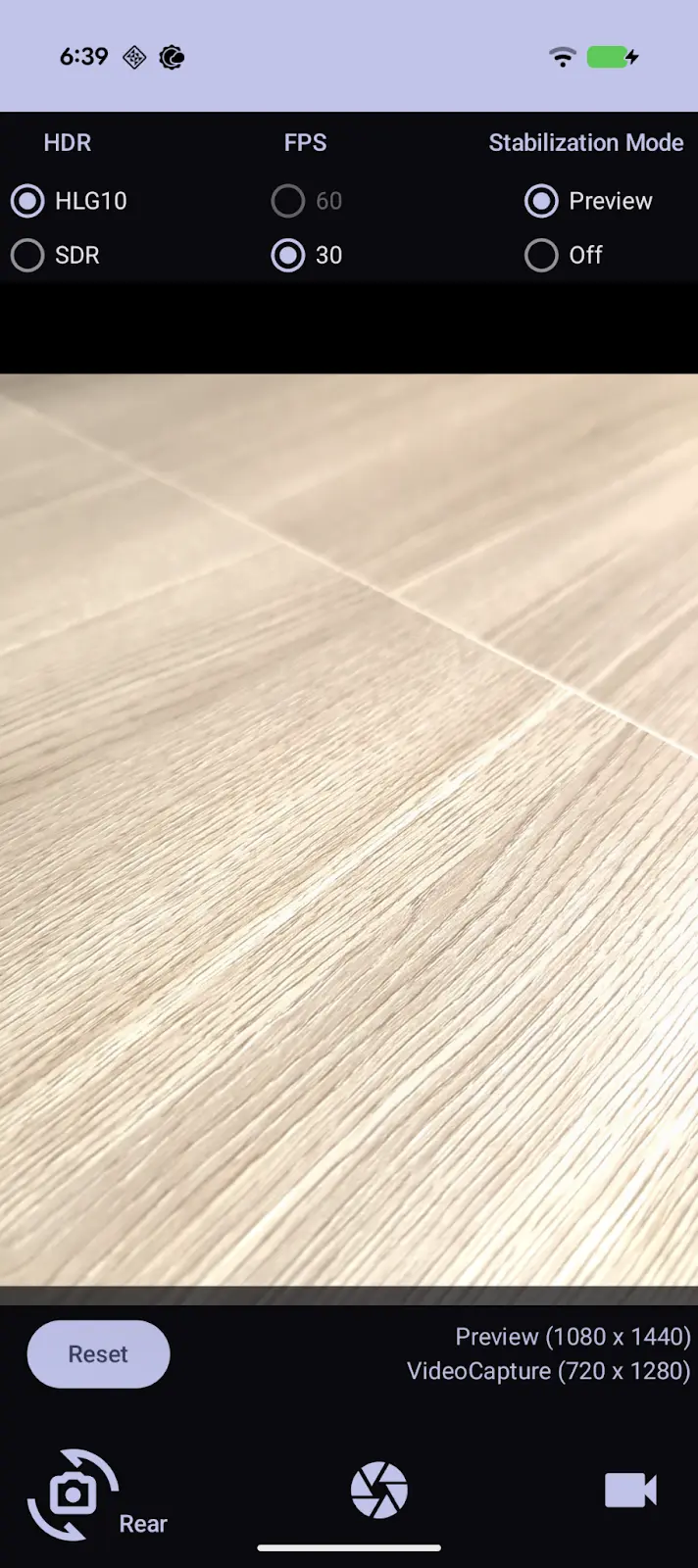
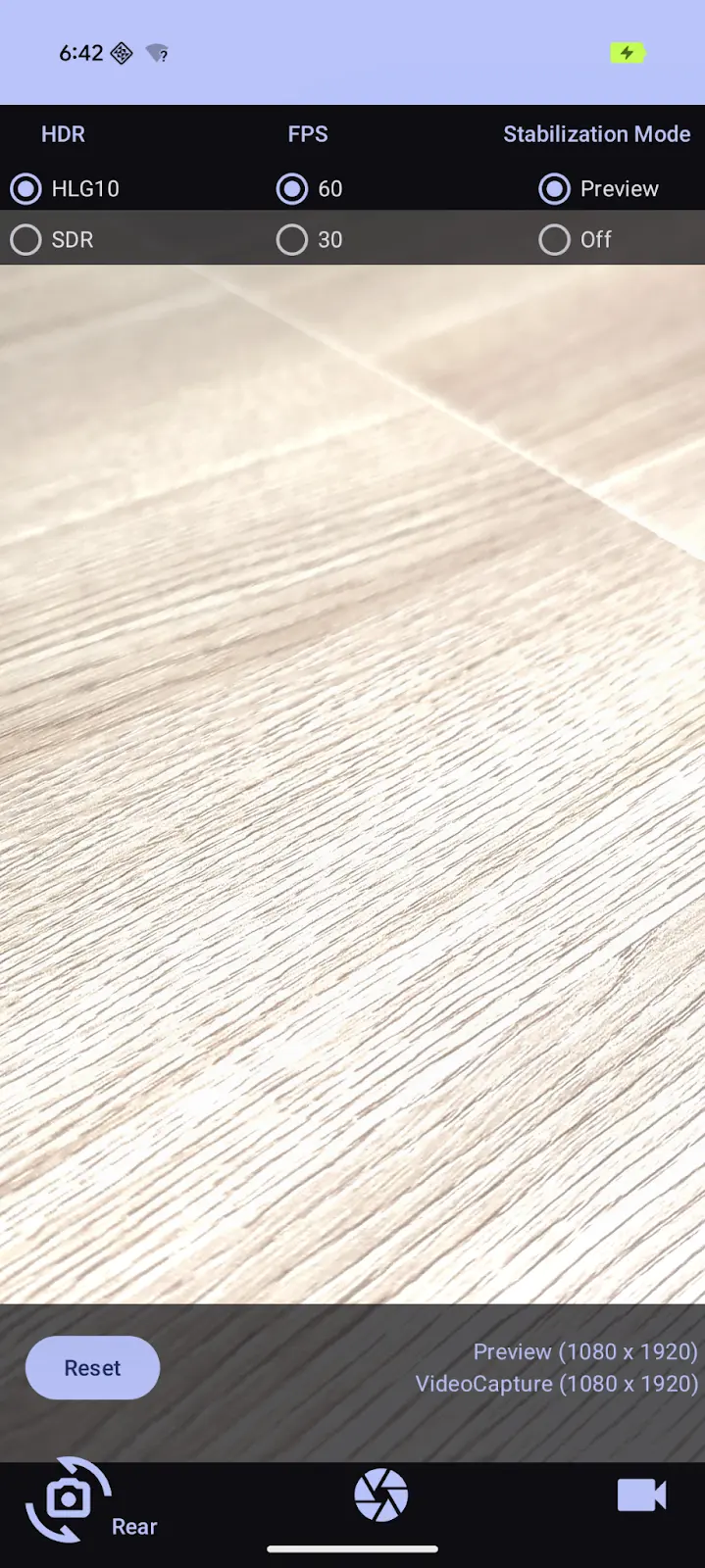
The Problem This Solves
Previously, you'd enable features individually without knowing if they'd work together:
// Old approach - hope this works on the user's device
videoCapture.apply {
    setHdr(true)
    setTargetFrameRate(Range(60, 60))
    setStabilization(true)
}
// Might work, might crash, might silently fail
Some devices support HDR. Some support 60 FPS. Some support both together, some don't. The only way to find out was trial and error - or maintaining a giant device compatibility list.
How Feature Groups Work
CameraX introduces a way to query and request feature combinations:
Check if a combination is supported:
val features = setOf(
    GroupableFeature.HDR_HLG10,
    GroupableFeature.FPS_60,
    GroupableFeature.PREVIEW_STABILIZATION
)

if (cameraInfo.isFeatureGroupSupported(features)) {
    // Safe to enable all three
} else {
    // Need to fall back
}
Request features with automatic fallback:
cameraProvider.bindToLifecycle(
    lifecycleOwner,
    cameraSelector,
    preview,
    videoCapture,
    SessionConfig.defaultSessionConfig(
        preferredFeatureGroup = listOf(
            GroupableFeature.HDR_HLG10,
            GroupableFeature.FPS_60,
            GroupableFeature.PREVIEW_STABILIZATION
        )
    )
)
With preferredFeatureGroup, CameraX tries your full list first, then progressively drops features until it finds a supported combination. On a Pixel 10 Pro, you might get all three. On an older phone, you might get just HDR. Either way, you don't crash.
Available Features
Right now, the API covers:
HDR_HLG10- HDR video in HLG10 formatFPS_60- 60 FPS recordingPREVIEW_STABILIZATION- Real-time stabilizationIMAGE_ULTRA_HDR- Ultra HDR image capture
More features will likely be added in future releases.
Building a Reactive UI
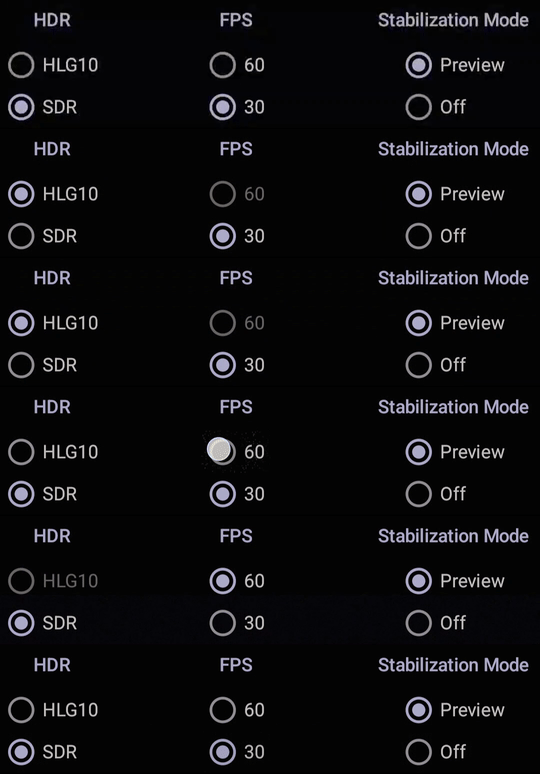
The real power is in building UIs that adapt to device capabilities. The example below uses a View-based toggle UI; for the equivalent Compose-friendly version using a ViewModel + StateFlow to expose device capabilities to the UI, see Advanced MVVM Patterns in Jetpack Compose — the same _uiState shape works for camera capability flags. Here's the practical example:
fun updateFeatureToggles(cameraInfo: CameraInfo) {
    // Check each feature individually
    hdrToggle.isEnabled = cameraInfo.isFeatureGroupSupported(
        setOf(GroupableFeature.HDR_HLG10)
    )

    fps60Toggle.isEnabled = cameraInfo.isFeatureGroupSupported(
        setOf(GroupableFeature.FPS_60)
    )

    stabilizationToggle.isEnabled = cameraInfo.isFeatureGroupSupported(
        setOf(GroupableFeature.PREVIEW_STABILIZATION)
    )
}

fun onFeatureToggled() {
    val requested = mutableSetOf<GroupableFeature>()

    if (hdrToggle.isChecked) requested.add(GroupableFeature.HDR_HLG10)
    if (fps60Toggle.isChecked) requested.add(GroupableFeature.FPS_60)
    if (stabilizationToggle.isChecked) requested.add(GroupableFeature.PREVIEW_STABILIZATION)

    // Check if this exact combination works
    if (cameraInfo.isFeatureGroupSupported(requested)) {
        recordButton.isEnabled = true
        warningText.visibility = View.GONE
    } else {
        recordButton.isEnabled = false
        warningText.text = "This combination isn't supported on your device"
        warningText.visibility = View.VISIBLE
    }
}
Users see which features their device supports, and the UI prevents them from selecting incompatible combinations. Much better than letting them tap record and watching the app crash.
Required vs Preferred Features
Two approaches for requesting features:
requiredFeatureGroup - All features must be supported. If not, throws an exception. Use when you absolutely need specific capabilities and want to handle the failure explicitly.
preferredFeatureGroup - CameraX picks the best supported subset. Use when you want the best available quality with automatic fallback.
For most apps, preferredFeatureGroup is the better choice. You get premium features on capable devices without writing fallback logic.
Device Compatibility in Practice
The whole point of Feature Groups is that you stop guessing what works where. Here's a rough matrix to set expectations — the actual support comes from the device, not from a list, so always verify with isFeatureGroupSupported() at runtime rather than hard-coding device names:
| Device class | HDR_HLG10 | FPS_60 | PREVIEW_STABILIZATION | All three together |
|---|---|---|---|---|
| Recent flagship (Pixel 8/9/10 Pro, Galaxy S24/S25 Ultra) | ✓ | ✓ | ✓ | usually ✓ |
| Mid-range flagship (Pixel 8a, Galaxy S24) | ✓ | ✓ | partial | sometimes |
| Budget devices (sub-$300) | rare | rare | no | no |
| Older devices (3+ years old) | no | no | no | no |
A few things this matrix can't tell you:
- OEM camera HAL versions matter more than device class. Two phones with the same chipset can report different Feature Group support because their camera HAL implementations differ.
- Android version drift. A device that didn't support a combo on Android 14 may support it on Android 15 if the OEM updated the camera HAL. Always check at runtime, never on
Build.MODEL. - Front vs back camera. Run the support check per
cameraSelector—CameraInfois camera-specific.
Common Gotchas
A few things I tripped over wiring this into a production app:
Don't query before you have a CameraProvider. cameraInfo.isFeatureGroupSupported() only works after cameraProvider.bindToLifecycle() has resolved a camera. Call it too early — for example, in your ViewModel init block — and you either crash or get a stale answer. Resolve the camera first, then probe capabilities.
preferredFeatureGroup silently drops features. That's the design — but make sure your UI reflects the real result by inspecting the actual SessionConfig after binding, not the list you requested. If the user toggled HDR + 60 FPS and they got HDR only, your record button shouldn't lie.
Camera APIs are async — wrap them properly. bindToLifecycle() and capability checks happen on the main thread, but real camera initialization is asynchronous. If you're combining Feature Groups with frame-rate switching or capture session reconfiguration, treat the camera lifecycle as a coroutine flow. The patterns from Kotlin coroutines: from callbacks to async apply directly — wrap ListenableFuture<ProcessCameraProvider> in await() and you're done.
Configuration changes invalidate the camera. On a screen rotation or a navigation pop-and-return, you have to re-bind the camera and re-check feature support. Don't cache the support result across the UI lifecycle.
Getting Started
To use Feature Groups, add the AndroidX CameraX dependencies:
dependencies {
    val cameraxVersion = "1.6.1"
    implementation("androidx.camera:camera-camera2:$cameraxVersion")
    implementation("androidx.camera:camera-lifecycle:$cameraxVersion")
    implementation("androidx.camera:camera-video:$cameraxVersion")
}
Check the official CameraX release notes for any newer point release — Feature Groups have been actively expanding since the 1.5 stable launch, with additional groupable features and bug fixes landing through the 1.6.x line.
Why This Matters
Before Feature Groups, building a camera app that worked well across devices required either:
- Testing on dozens of devices manually
- Maintaining compatibility lists
- Letting users discover crashes themselves
- Disabling advanced features entirely
Now you can query capabilities programmatically and build adaptive UIs. Users on flagship phones get flagship features. Users on budget phones get what their hardware supports. Nobody gets crashes.
If you're building camera functionality, this API is worth the upgrade to CameraX 1.6.
FAQ
What CameraX version do I need for Feature Groups?
Feature Groups graduated from experimental to stable in CameraX 1.5. Earlier alpha builds (1.5.0-alpha01 and similar) shipped a preview of the API, but the surface settled before the stable release. The current stable is CameraX 1.6.1 — it exposes isFeatureGroupSupported(), preferredFeatureGroup, and requiredFeatureGroup with the signatures shown in this post. Always check the AndroidX CameraX release notes for the latest point release before bumping your dependency.
Does Feature Groups work with Jetpack Compose?
Yes — the API is on CameraInfo and SessionConfig, both of which are framework-agnostic. In Compose, the typical pattern is to expose feature support as StateFlow<Set<GroupableFeature>> from a ViewModel, collect it with collectAsStateWithLifecycle(), and drive your toggle UI off that flow. The reactive UI snippet in this post translates directly — replace the View toggles with Compose Switch composables and the logic is identical.
What happens if I use requiredFeatureGroup with unsupported features?
bindToLifecycle() throws an IllegalArgumentException. That's why requiredFeatureGroup should be reserved for cases where you genuinely cannot ship the feature without the combo — for example, a pro video tool whose value proposition is "HDR + 60 FPS only." For most apps, preferredFeatureGroup is safer because it picks the best supported subset and never throws. Wrap any requiredFeatureGroup call in a try/catch and have a fallback path ready.
Can I check Feature Group support before binding the camera?
No. cameraInfo.isFeatureGroupSupported() requires a resolved CameraInfo, which only exists after cameraProvider.bindToLifecycle() returns a Camera. The standard sequence is: get ProcessCameraProvider, bind a minimal use case (preview only) to a lifecycle, pull CameraInfo off the result, then probe Feature Groups. If you need to know capabilities before showing a UI, do this in a one-shot probe at app start and cache the result for the session.
Does Feature Groups support image-only captures or only video?
Both. The current GroupableFeature set includes IMAGE_ULTRA_HDR for image capture in addition to the video-oriented HDR_HLG10, FPS_60, and PREVIEW_STABILIZATION. The same isFeatureGroupSupported() and preferredFeatureGroup patterns work whether you're binding a Preview, an ImageCapture, a VideoCapture, or all three simultaneously. The camera will report support for the union of features that your bound use cases actually use.